

Why many CAD-to-Revit transitions struggle when companies treat Revit as a software change instead of a workflow transformation.
This article was first shared on LinkedIn as part of an ongoing reflection on Revit learning, BIM implementation, and the transition from CAD-based production into structured Revit workflows. I am also including it here as part of the Revit Strategies Solutions Academy knowledge library for professionals and companies exploring a clearer path toward Revit adoption.
At first, everything may look like progress. But once the team begins working under real project conditions, the deeper questions start to appear.
At that point, the issue is usually not effort.
It is not that the team is unwilling to learn.
It is not that people are incapable.
It is not that Revit cannot work for the company.
Very often, the problem is that the transition has been treated as a software change instead of a workflow change.
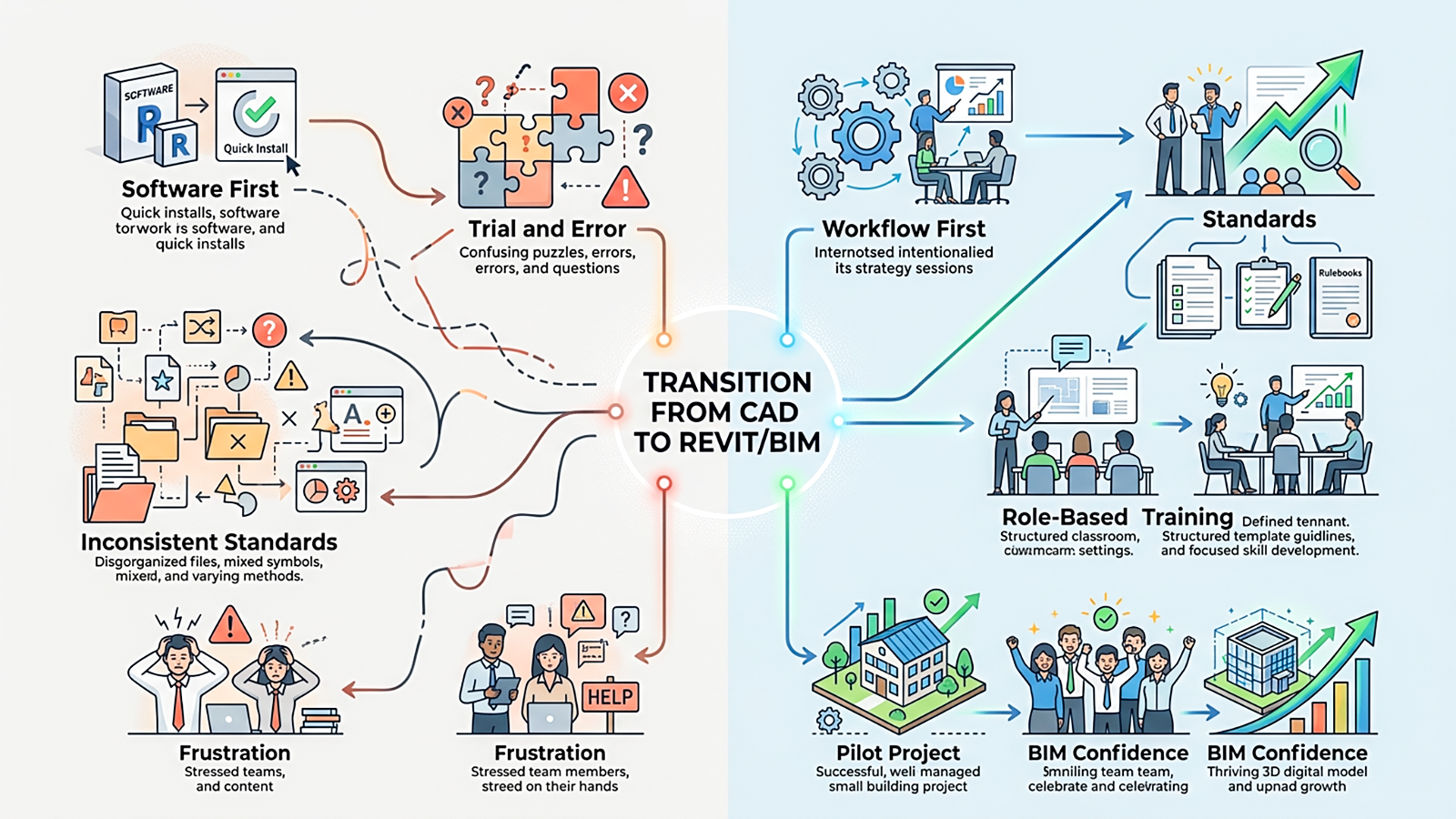
The direction of the transition matters. Revit works best when workflow, standards, and training are connected.
And that difference matters.
Revit is not only a different tool.
It asks for a different way of organizing project information.
It changes how drawings are produced.
It changes how views and sheets are connected.
It changes how families behave.
It changes how schedules are generated.
It changes how early decisions affect documentation and coordination later.
That is why learning Revit only through commands, tutorials, or trial and error can create a fragile foundation. In earlier articles, I wrote about how learners can be motivated and still struggle when the learning sequence is weak, because repeating steps is not the same as understanding the logic behind them. That same problem can happen at the company level.
A firm can be motivated to adopt Revit and still struggle if the implementation path is unclear.
Without structure, each user may develop a different way of working.
Without standards, every project may begin differently.
Without role-based training, people may learn tools without understanding how those tools support their responsibilities.
Without a pilot strategy, the first Revit project can become an uncontrolled experiment.
Without quality checkpoints, small problems can quietly become office habits.
And before a company can work confidently in Revit, it needs to understand what kind of system it is trying to create.
Next week, I’ll be sharing two connected articles on this topic.
The first will look at why trial and error alone often becomes expensive during a CAD-to-Revit transition.
The second will outline a practical route companies can follow to move from confusion into a more structured BIM implementation.
Because many Revit problems are not really Revit problems. They are workflow problems. Standards problems. Training sequence problems. Implementation problems.
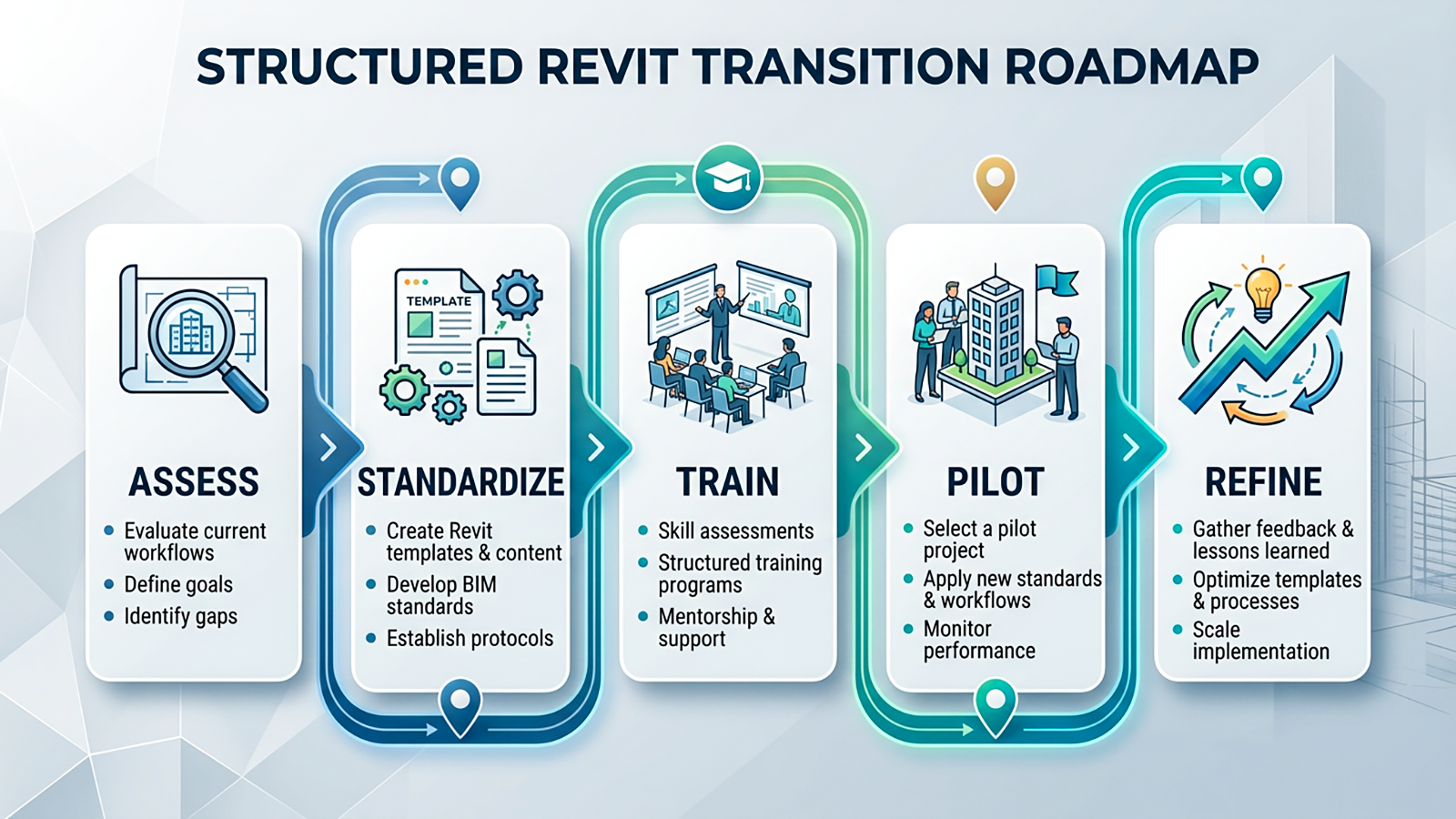
A successful Revit transition needs a structured path, not scattered effort.
The good news is that those problems can be solved — when the transition is approached with the right structure from the beginning.
Need clarity before moving from CAD to Revit?
If your company is planning a transition from AutoCAD to Revit, or if your team has already started but the workflow still feels unclear, I’d be glad to help you explore the best path forward.
You can book a free 30-minute consultation with me to discuss your company’s current workflow, Revit goals, training needs, standards, templates, and implementation challenges.
Together, we can identify where your team is now, what may need to be structured, and what steps could support a smoother and more confident Revit transition.
